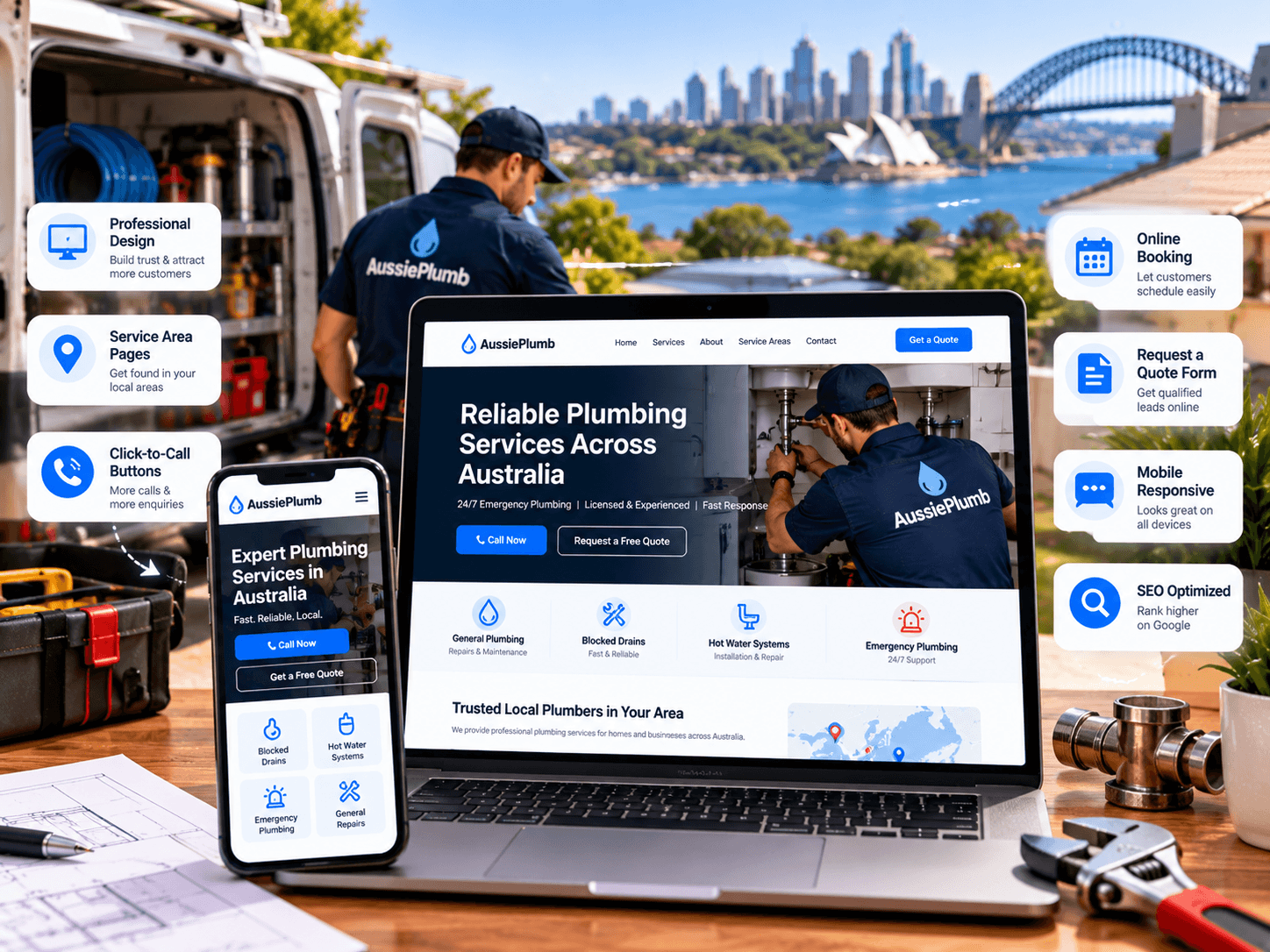
A plumber in Melbourne asks a web designer for “a professional website.” Six weeks later he gets a handsome site with a slideshow, a stock photo of a smiling tradie, and a contact page buried three clicks deep. It looks fine. It doesn’t help him win work.
Good plumber website design is less about style and more about a short list of features that work together when a customer is stressed, on a phone, and comparing three plumbers. This guide sets out those features in practical detail: responsive layout, emergency contact details, service pages, quote request forms, project photos and trust signals. It also covers what to put in your brief, which features can wait until later, and the mistakes that make a plumbing website look professional but perform badly.
What Good Plumber Website Design Needs to Do
A plumbing website has three jobs:
- Help urgent customers call you in seconds. A burst pipe doesn’t wait for a contact form.
- Help planning customers decide. Someone replacing a hot water system or renovating a bathroom wants detail, proof and a way to ask for a quote.
- Prove you’re legitimate. People are letting you into their homes, so trust matters more than polish.
Every feature below serves one of those jobs. If a feature doesn’t, it can probably wait.
Plumber Website Design: The Nine Essential Features
1. Responsive, Mobile-First Design
Most plumbing searches happen on phones, often in a hurry. “Responsive” means the layout adapts to any screen size. “Mobile-first” means the phone version is designed first, then expanded for desktop, not the other way round. Google also indexes the mobile version of your site, so it affects search visibility, as Google explains in its mobile-first indexing guidance.
Check these on a real phone, not a desktop browser squeezed narrow:
- Text readable without zooming
- Buttons large enough to tap with a thumb
- No sideways scrolling
- Forms that work with a phone keyboard
- No pop-ups covering the phone number
- Images that fit the screen and load quickly
2. Emergency Contact Details That Work Under Pressure
For urgent work, your phone number is the most important element on the site.
- Put it in the header as real text, not inside an image, so it’s tappable.
- Add a sticky call button on mobile that stays visible as visitors scroll.
- State your hours honestly. Claim 24-hour service only if someone answers at 3 am. If you’re not always available, say what happens after hours, such as a callback.
- Create an emergency page listing what you handle (burst pipes, blocked drains, hot water failures, gas leaks) and what to do while waiting, such as turning off the water at the mains.
- Include a safety note for gas. If a customer smells gas, they should leave the area and contact emergency services or their gas distributor, following the guidance in their state. This is a responsible message and shows you take safety seriously.
3. Dedicated Service Pages
One “Services” page with a bullet list doesn’t convince anyone and rarely ranks. Each major service deserves its own page: blocked drains, hot water systems, leak detection, gas fitting, bathroom plumbing, roof plumbing, commercial work.
A reliable template for each page:
- A headline naming the service and the area you cover
- A plain-language description of the problem and how you fix it
- What’s included and your typical process
- Signs the customer needs a licensed plumber
- Guidance on what affects the price, without inventing figures
- A few real questions answered
- Your licence number, a relevant review and a clear call to action
Write these pages from real jobs, in your own words. Pages assembled from generic text blend into every other plumber’s site.
4. A Quote Request Form That Gets Completed
Calls suit urgent jobs. A form captures after-hours enquiries and planning customers who prefer typing to talking.
Fields to include: name, mobile number, suburb, type of job and a short description. An optional photo upload helps customers show the problem, which lets you give a better first response.
Things to add:
- A phone alternative beside the form, such as “Prefer to call? Tap here.”
- An “It’s urgent” option that shows your emergency number
- A confirmation message that says what happens next
- Instant notification to a phone or inbox someone actually checks
- Spam protection that doesn’t block real customers. A hidden “honeypot” field is lighter than puzzle-style tests.
- A short privacy line linking to your policy
Be honest about response times. “We reply within an hour” is a promise. Only publish it if you keep it. If you use job-management software such as ServiceM8 or Tradify, ask your developer whether enquiries can flow straight into it so nothing gets lost.
Booking vs quoting. Online booking suits standardised jobs, such as a hot water system replacement or a drain clearing. Most plumbing work needs some triage first, so a quote request with a fast callback is usually a better starting point than a booking calendar.
5. Project Photos That Prove Your Work
Real photos do more for trust than any slogan. Stock images of smiling plumbers are easy to spot, and customers discount them.
- Show real jobs, ideally before and after, with a one-line description of the problem and the fix.
- Show your team and vans. People like knowing who will arrive.
- Get permission. Ask the customer before publishing photos of their home, and avoid showing house numbers, faces or anything identifying.
- Show good work only. Check that photos don’t show anything non-compliant.
- Compress images into a modern format such as WebP so pages load quickly.
- Add descriptive alt text, such as “Replacement gas hot water unit installed in a Marrickville home.” Google’s image guidance explains how alt text and file names help.
6. Trust Signals Customers Look For
A visitor deciding whether to let you into their home looks for evidence. Put it where they’ll see it, not on a page nobody reads.
| Trust signal | How to show it |
|---|---|
| Licence number | In the header or footer on every page. Rules are state-based: NSW requires the licensee’s name and licence number in all advertising, and Queensland’s QBCC requires it for plumbing advertising. Check your own regulator. |
| Insurance | A short statement that you hold public liability insurance |
| Compliance paperwork | Note that you provide the certificates your state requires |
| Reviews | Real Google reviews with names and suburbs, shown with permission |
| Team | Real photos and a few lines about who you are |
| Memberships | Your state master plumbers association, if you hold it |
| Guarantees | A workmanship guarantee, only if you honour it |
| Pricing clarity | How call-out fees and quotes work |
See the NSW advertising rules and the QBCC advertising page.
A caution on claims. Statements such as “$0 call-out”, “#1 rated plumber” or “fixed price” must be accurate and not misleading under the Australian Consumer Law. If a claim has conditions, state them clearly, not in tiny print. The ACCC publishes guidance on pricing and advertising.
7. Service-Area Information
Customers need to know whether you come to their suburb. Include a clear “Areas We Service” page, and add genuine regional pages where you have something real to say. Avoid dozens of cloned suburb pages. Our guide to local SEO for plumbers explains how to do this without creating spam.
8. Speed, Security and Technical Health
Slow or insecure sites lose customers and trust.
- Speed. Google’s Core Web Vitals set “good” targets of a Largest Contentful Paint under 2.5 seconds, Interaction to Next Paint under 200 milliseconds and Cumulative Layout Shift under 0.1. Test your key pages and fix the biggest bottlenecks first.
- HTTPS on every page, so browsers don’t show security warnings.
- Backups stored away from the website’s own server.
- Updates for your CMS, theme and plugins, ideally tested on a staging copy first.
- Quality hosting. Cheap, overcrowded hosting is a common cause of slow sites.
- Structured data. LocalBusiness markup helps search engines understand your business, so long as it matches what’s visible on the page.
9. Accessibility, Privacy and Tracking Basics
These are less glamorous but protect you and help customers.
- Accessibility. Australia’s Disability Discrimination Act covers goods and services provided online, and the Australian Human Rights Commission’s guidance points to WCAG 2.2 Level AA as the benchmark. Good contrast, keyboard-friendly navigation, readable text and descriptive links help everyone, including customers using phones in bright sunlight. The W3C’s WCAG overview explains the standard.
- Privacy. Include a short, clear privacy policy, collect only the data you need and secure your forms.
- Tracking. Set up Google Analytics to count calls, taps on your phone number and form submissions, plus Google Search Console. Without it, you can’t tell whether the website is working.
Which Features Come First?
You don’t need everything on day one. A sensible order:
| Priority | Features |
|---|---|
| Launch with | Responsive design, tap-to-call, emergency page, core service pages, quote form, licence and insurance details, real photos, fast loading, HTTPS |
| Add next | Reviews section, area pages, FAQs, structured data, call and form tracking |
| Add later | Online booking, live chat, payment links, customer portal, job-software integration |
A Simple Sitemap for a Plumbing Website
| Page | Purpose |
|---|---|
| Home | Say what you do and where, with a call button and trust evidence |
| Emergency plumbing | Convert urgent visitors |
| Services (hub) | Overview linking to each service page |
| Individual service pages | Capture specific searches and answer questions |
| Areas we service | Show where you work |
| Projects / gallery | Prove your work |
| Reviews | Collect trust in one place |
| About / team | Show who you are |
| Get a quote | Capture planning customers |
| Privacy policy | Meet basic obligations |
What to Put in Your Brief to a Web Designer
A clear brief saves time and money. Prepare:
- The services you most want to sell, ranked by profit
- The suburbs or regions you serve
- Your licence numbers and insurance details
- 15 to 30 real photos, plus team photos
- Reviews you can use, with permission
- Your hours and after-hours arrangements
- How you want enquiries delivered (phone, email, job software)
- Examples of sites you like and dislike
- Who will update the site, and how often
What Affects the Cost
Prices vary, so compare quotes on scope:
| Factor | Why it matters |
|---|---|
| Number of pages | More service and area pages mean more writing and building |
| Custom design vs adapted template | Fully custom design takes longer |
| Content creation | Writing and photography add time if you can’t supply them |
| Integrations | Job software, CRM or booking tools add development work |
| Accessibility and performance testing | More thorough testing adds hours |
| Ongoing support | Updates, backups and security are a recurring cost |
Ask for a written breakdown and a total cost over two to three years, not only the build price. A typical business site takes several weeks from brief to launch, and delays usually come from late photos and slow feedback.
Seven Costly Mistakes in Plumber Website Design
- A design that looks good but hides the phone number. Pretty doesn’t pay if callers can’t find the button.
- Stock photos instead of real work. Customers trust faces and jobs they can believe.
- One generic services page. It doesn’t answer specific questions or rank for them.
- Slow pages from oversized images and heavy sliders. Mobile visitors leave first.
- Missing licence details. It weakens trust and may breach advertising rules.
- Unchecked claims. “#1 rated” and “$0 call-out” can mislead if not accurate and qualified.
- No tracking and no maintenance plan. You can’t improve what you can’t see, and neglected sites get slow and insecure.
When Professional Help Makes Sense
Consider outside help when your current site is slow, outdated or hard to edit, when it gets visitors but few enquiries, when you’d rather spend time on jobs than on web work, or when you want accessibility, speed and SEO built in properly from the start.
Rajhans Digital designs and develops websites for service businesses internationally, including WordPress builds, with performance, local SEO and analytics set up as part of the project. Details are on our website design and development page and services page. Our on-page SEO guide explains how titles and headings should be structured, and our post on getting more plumber website leads covers conversion in depth.
To be clear about limits: we work from India, so we can’t photograph your team or vans, verify your licence or answer your phones. You’d supply real photos, licence details and reviews, and we’d handle design, build and measurement. Australian cities are roughly 2.5 to 5.5 hours ahead of India depending on city and daylight saving, so working hours overlap for calls and reviews.
How to Choose a Web Designer for a Plumbing Business
- They ask about your jobs first, not only your colour preferences.
- They explain what’s included in writing: pages, content, testing and training.
- You own everything: domain, hosting, site files and analytics.
- They use a staging site and can explain backups and updates.
- They don’t guarantee rankings or a number of leads.
- They show real work and offer references you can contact.
- They build for mobile and accessibility, and can describe how they test.
- Contract terms are clear, with no lock-in that holds your site hostage.
Frequently Asked Questions
What pages should a plumber’s website have?
At minimum: a homepage, an emergency page, individual service pages, an areas page, a gallery of real projects, reviews, an about page, a quote form and a privacy policy.
How much does a plumber website cost in Australia?
It depends on the number of pages, design approach, content, integrations and ongoing support. Ask for a written breakdown and compare what each quote includes.
Do I need online booking?
Usually not at first. Most plumbing jobs need some triage, so a quote request with a quick callback works well. Consider booking later for standard jobs.
Is WordPress a good choice for a plumbing website?
For most plumbing businesses, yes. It’s widely supported, easy to edit and flexible enough to add features later. A custom build only makes sense for unusual requirements.
Should I show prices on my website?
Showing call-out fees and how quotes work builds trust. Avoid fixed prices unless you can honour them, and make sure any “from” price is clear and not misleading.
Can I show photos of customers’ homes?
Ask permission first, and avoid anything that identifies the person or the address. Photos of the work itself, such as a new hot water unit or a repaired pipe, are usually enough.
Conclusion
Effective plumber website design comes down to a handful of dependable features: a responsive layout, an obvious way to call, specific service pages, a short quote form, real project photos and visible proof of trust, all on a fast, accessible, well-maintained site. Launch with the essentials, track what works, and add features as you grow. A simpler site that answers customers’ questions will outperform a flashy one that doesn’t.
Talk to Rajhans Digital About Your Plumbing Website
If you’re planning a new plumbing website or your current one isn’t producing enquiries, Rajhans Digital can review it and recommend practical improvements to design, speed, content and tracking. We’ll explain what to fix first and why, without pressure or inflated promises.
Request a website review or contact Rajhans Digital to discuss your project.