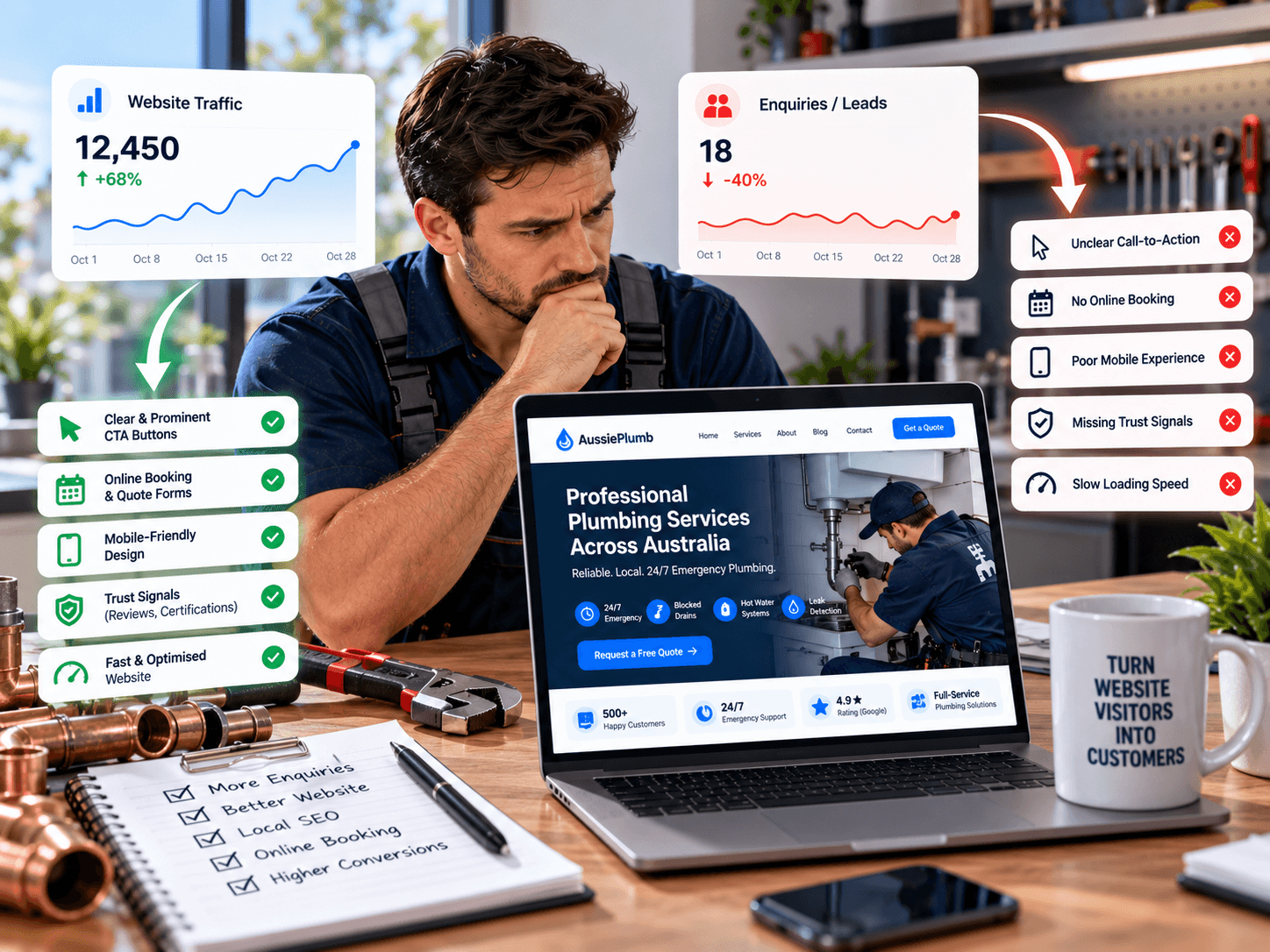
An owner in Newcastle checks his analytics and sees a healthy number of visitors every month. The phone is quiet. A few enquiries trickle in, and he can’t tell whether the problem is the website, the ads, the suburb he’s targeting, or just a slow season. He’s paying for traffic that isn’t turning into jobs.
That situation is the starting point for plumbing website conversion optimisation. Conversion means a visitor doing the thing you want: calling, tapping your number, or sending an enquiry. If traffic is healthy and conversions are weak, something between the click and the call is failing. This guide shows how to find out what, then covers the five most common causes: slow loading, unclear calls to action, poor mobile layouts, missing trust signals and complicated enquiry forms. It’s written for Australian plumbing business owners, and you don’t need technical skills to follow it.
Understanding the Problem: Traffic Is Not Enquiries
Traffic without enquiries usually comes down to one of three situations:
- The wrong people are visiting. They’re searching for jobs, apprenticeships or DIY advice, not a plumber.
- The right people visit, but the site loses them. It’s slow, confusing, hard to use on a phone or doesn’t earn trust.
- Enquiries happen but aren’t being captured or answered. Forms fail, calls go to voicemail, or tracking can’t see them.
Each has a different fix, so diagnosing first saves money. A redesign can’t fix a form that sends its notifications to a spam folder, and more ads won’t fix a page that takes six seconds to load.
If you’d like an independent diagnosis, Rajhans Digital offers website design and development services that include conversion audits and performance fixes.
Step 1: Find Out What’s Actually Happening
Plumbing website conversion optimisation starts with measurement. Before changing anything, answer these questions.
Define What Counts as a Conversion
For a plumbing site, conversions usually include:
- Taps on your phone number
- Quote or enquiry form submissions
- Messages from any chat or messaging button
Then calculate a baseline: enquiries divided by visits, over a month. Split it by device (mobile vs desktop), traffic source (Google search, Maps, ads, direct) and page. A 1% rate on mobile and 4% on desktop tells you something very different from a flat 2% everywhere.
Make Sure Calls and Forms Are Tracked
Many plumbing sites record visits but not the actions that matter. Google Analytics 4 doesn’t count phone taps on its own. The usual approach is a Google Tag Manager trigger that fires when someone clicks a link beginning with tel:, which then sends an event to GA4 that you mark as a key event. Guides on this are widely available, and you can set it up with Google Tag Manager in an hour or two.
Keep two cautions in mind:
- A tap isn’t a call. A phone click isn’t proof of a connected call, and a form submission isn’t automatically a qualified lead. Keep a simple log of calls and jobs, so you can compare taps to real conversations.
- Check every phone number is a real tappable link. If it’s plain text or an image, mobile visitors can’t tap it and you can’t track it.
Watch Real Visitors
Numbers show what happened. Recordings show why. Microsoft Clarity is a free tool that offers heatmaps and session recordings, and Microsoft describes it as free with no traffic limits. You can watch where people tap, where they stop scrolling, and where they seem confused. Look especially for rage clicks (repeated taps on something that doesn’t respond) and dead clicks.
Watching even ten or fifteen mobile recordings usually reveals problems no report would. A few notes:
- Recording tools capture visitor behaviour, so disclose them in your privacy policy and mask form fields.
- Clarity requires explicit consent for visitors in the UK, EEA and Switzerland, which matters if you attract overseas traffic.
Check What the Traffic Looks Like
Open Google Search Console and look at the queries bringing visitors. If many are “plumbing apprenticeship”, “how to fix a leaking tap yourself” or “plumber salary”, your traffic is real but not buying. That’s a content and targeting problem, not a conversion problem.
Symptom Guide
| What you see | Likely cause | Where to look |
|---|---|---|
| High visits, many leave immediately | Slow loading, wrong traffic, mobile problems | PageSpeed Insights, Search Console, mobile recordings |
| People scroll but don’t tap or call | Unclear call to action or weak trust | Heatmaps, recordings |
| Many start the form but don’t finish | Form too long or broken | Form analytics, recordings |
| Mobile conversion far below desktop | Mobile layout problems | Device split in GA4, mobile recordings |
| Good tracking numbers, few real jobs | Missed calls, slow replies | Your call log, answer rates |
| Traffic from irrelevant searches | Wrong keywords or content | Search Console queries |
Plumbing Website Conversion Optimisation: The Five Fixes
1. Slow Loading
Speed is the first thing a stressed visitor judges. Someone with a flooded laundry won’t wait for a heavy page.
Common causes:
- Large, uncompressed photos (the most frequent culprit)
- Image sliders and auto-playing video
- Heavy page builders and too many plugins
- Third-party scripts: chat widgets, review widgets, social feeds, embedded maps
- Cheap, overcrowded hosting
- No caching
How to check: Run your key pages through Google’s PageSpeed Insights. Google’s Core Web Vitals set “good” targets of a Largest Contentful Paint under 2.5 seconds, Interaction to Next Paint under 200 milliseconds and Cumulative Layout Shift under 0.1. These are published targets that Google updates occasionally, so check the current numbers.
Fixes, roughly in order of impact:
- Compress images and use modern formats such as WebP.
- Replace sliders with a single strong image.
- Remove unused plugins and scripts.
- Load heavy widgets only where needed. Don’t load a maps embed on every page.
- Use caching and a content delivery network where appropriate.
- Upgrade hosting if the server itself is slow.
One practical detail: don’t delay the loading of the main image visitors see first, because that can slow the page’s main content. Test on a mid-range phone using mobile data, not only on fast office wifi.
2. Unclear Calls to Action
A call to action (CTA) tells visitors what to do next. Plumbing sites often fail by having too many, too few or vague ones.
Common problems:
- The phone number sits in a menu or an image
- Several competing buttons, such as “Learn more”, “Contact”, “Book”, “Get a quote” and “Chat”, with no clear priority
- Generic wording that doesn’t say what happens next
- No call to action at the end of service pages
- Low contrast, so the button blends into the page
Fixes:
- Choose one primary action per page. For emergency pages it’s a call. For planned work it’s a quote request.
- Use specific wording.
- Repeat the action at natural points: top of page, after the key explanation and at the end.
- Keep a sticky call button on mobile.
| Weak | Stronger |
|---|---|
| Contact us | Call now: licensed plumber, 7 days |
| Learn more | See hot water system options |
| Submit | Send my quote request |
| Click here | Get a free quote for your bathroom |
Only use “free”, “7 days” or “licensed” if they’re true, and qualify claims where needed.
3. Poor Mobile Layouts
A site can be technically “responsive” and still work badly on a phone. Google indexes the mobile version first, so mobile quality matters twice, as described in its mobile-first indexing guidance.
What to check on a real phone:
- A header so tall that it pushes content below the screen
- Tiny buttons and links close together
- Text too small to read without zooming
- The phone number in an image, or hidden in a menu
- Pop-ups, cookie banners or chat bubbles covering the call button
- Sideways scrolling
- Forms where the keyboard hides the field you’re typing in
- Large hero images that push the real content far down
Fix by designing the phone view first, putting the call button where a thumb reaches, and testing on several devices. Watching mobile recordings often shows these problems within minutes.
4. Missing Trust Signals
Customers are inviting a stranger into their home, so they look for reasons to trust you.
| Missing trust signal | What to add |
|---|---|
| Licence | Your licence number in the header or footer. State rules differ: NSW requires the licensee’s name and licence number in all advertising, and Queensland’s QBCC requires it on plumbing advertising. See the NSW advertising rules and the QBCC page, and check your own regulator. |
| Insurance | A short statement that you carry public liability insurance |
| Reviews | Real Google reviews with names and suburbs, shown with permission |
| Photos | Real photos of your team, vans and work |
| Guarantees | A workmanship guarantee, only if you honour it |
| Business details | Your ABN, service areas and a real phone number |
| Pricing clarity | How call-out fees and quotes work |
Be careful with claims. Phrases like “$0 call-out”, “#1 rated” or “fixed price” must be accurate and not misleading under the Australian Consumer Law. If a claim has conditions, state them clearly. The ACCC publishes guidance on advertising and pricing. A site that over-promises loses trust the moment a customer finds the fine print.
5. Complicated Enquiry Forms
Forms are where many interested visitors give up.
Common problems:
- Too many fields, especially required ones
- Puzzle-style spam tests that frustrate real people
- No phone alternative beside the form
- No confirmation message, so visitors don’t know if it worked
- Forms that fail on mobile
- Notifications that never arrive. A classic and costly one: the form works, but the email goes to spam or to an address nobody checks.
Fixes:
- Keep it short: name, mobile number, suburb, job type and a short description. Make only the essentials required.
- Add a “Prefer to call?” option next to the form.
- Use lighter spam protection, such as hidden honeypot fields, instead of image puzzles.
- Show a clear confirmation that says what happens next and when.
- Send notifications reliably. Ask your developer to configure proper email delivery and check that messages don’t land in spam. Send a test submission every month.
- Make the form accessible: clear labels, visible error messages and keyboard-friendly fields. The W3C’s WCAG overview explains the standard.
As we found in our guide to plumber website design, a short form with a fast callback beats a long, detailed one for most plumbing enquiries.
The Hidden Leak: Enquiries That Don’t Become Jobs
Sometimes the website works and the loss happens afterwards. Check:
- How many calls go unanswered, and at what times?
- How quickly do you reply to form enquiries?
- Do after-hours enquiries get a callback?
- Do you follow up on quotes you’ve sent?
A visitor who calls three plumbers will usually book the first one who answers. If you track taps but not answered calls, you may be measuring a website problem that’s really an operations problem.
How to Test Changes Without Guesswork
Most plumbing sites don’t have enough traffic for formal A/B testing, which needs large numbers to be reliable. A simpler method works:
- Record your baseline for a month.
- Change one thing at a time, such as the call button, the form or the page speed.
- Wait two to four weeks before judging.
- Compare like with like. Winter hot water failures and summer storm weeks distort results, so compare against the same period or account for the season.
- Keep notes of what you changed and when.
Avoid changing everything at once. If results improve, you won’t know why, and if they worsen, you won’t know what to undo.
A 30-Day Conversion Plan
| Week | Focus | Actions |
|---|---|---|
| 1 | Measure | Set up phone tap and form tracking. Install a behaviour tool such as Clarity and update your privacy policy. Record your baseline. |
| 2 | Quick fixes | Compress images, remove unused plugins, make the phone number a tappable header link, add a sticky call button, check form notifications arrive. |
| 3 | Trust and clarity | Add licence, insurance, real reviews and photos. Rewrite the main call to action on your top pages. |
| 4 | Forms and review | Shorten the form, add a phone alternative, then compare results against your baseline. |
Costly Mistakes in Plumbing Website Conversion Optimisation
- Redesigning before diagnosing. A new design built on a wrong guess just moves the problem.
- Buying more traffic for a leaky site. Extra ads send more people into the same failure.
- Copying competitors’ claims. “#1 rated” and “$0 call-out” can mislead if untrue or poorly qualified.
- Changing everything at once. You can’t learn from results you can’t explain.
- Ignoring what happens after the enquiry. Missed calls and slow replies waste a well-built website.
When Professional Help Makes Sense
Consider outside help when:
- You can’t tell which of the problems above applies to your site.
- Your pages are slow and you don’t know why.
- Tracking is missing or unreliable, and you can’t trust the numbers.
- You’ve redesigned before without improvement.
- You’d rather focus on jobs than on tag managers and speed tests.
Rajhans Digital provides website design and development, speed and Core Web Vitals optimisation, analytics and tracking setup, and SEO for service businesses internationally. A typical conversion review covers speed, mobile layout, calls to action, trust signals, forms and tracking, and ends with a prioritised list of fixes. See our services page and SEO services for more, and our on-page SEO guide for how titles and content should be structured.
To be clear about limits: we work from India, so we can’t answer your phones, handle your quotes or photograph your team. We can’t guarantee enquiries either, because results depend on your market, your service and how quickly you respond. You’d give us access to your analytics and website, supply real photos and licence details, and keep ownership of every account. Australian cities are roughly 2.5 to 5.5 hours ahead of India depending on city and daylight saving, so working hours overlap for calls.
How to Choose a Partner for Conversion Work
- They start with an audit, not a redesign quote.
- They explain what they’ll measure and how they’ll know it worked.
- They don’t guarantee leads or rankings.
- You own everything: domain, hosting, analytics and files.
- They can show real examples and offer references.
- They test on real phones and can describe their process.
- Contract terms are clear, with no lock-in.
Frequently Asked Questions
Why does my plumbing website get traffic but no calls?
Usually one or more of five causes: slow loading, unclear calls to action, poor mobile layout, missing trust signals or a complicated form. It can also be that the traffic is wrong, or that calls happen but aren’t tracked or answered. Measure first, then fix the largest problem.
What is a good conversion rate for a plumbing website?
It varies widely by service, area, traffic source and season, so don’t chase a universal number. Set your own baseline, split by mobile and desktop, and aim to improve it steadily.
Does website speed really affect enquiries?
Slow pages frustrate visitors, particularly on mobile when someone needs help quickly, and speed is part of Google’s page experience signals. Test your pages and fix the biggest bottlenecks first.
How many fields should my enquiry form have?
As few as you can manage: name, mobile number, suburb, job type and a short description. Add optional fields only if you’ll use them.
Do I need call tracking software?
Not always. A tap-to-call event in Google Analytics and a manual call log is a good start. Dedicated call tracking numbers can show which source produced each call, but they add cost and need careful setup so your number stays consistent for local SEO.
Should I redesign my website or fix what I have?
Diagnose first. Many problems, such as slow images, a hidden phone number or a broken form, can be fixed without a full redesign. Redesign when the structure, platform or design itself holds you back.
Conclusion
Plumbing website conversion optimisation is mostly detective work followed by small, targeted fixes. Measure your calls and forms, watch real visitors on mobile, then work through the five usual suspects: speed, calls to action, mobile layout, trust signals and forms. Check what happens after the enquiry, change one thing at a time, and let the data decide what to do next. The visitors are already coming. The job is to stop losing them.
Talk to Rajhans Digital About Your Plumbing Website
If your website gets visitors but not enough enquiries, Rajhans Digital can review its speed, mobile experience, calls to action, trust signals, forms and tracking, and recommend practical priorities. We’ll explain what to fix first and why, without pressure or inflated promises.
Request a website conversion review or contact Rajhans Digital to discuss your project.